Does pin location change strategy?
You’re standing in the fairway, 142 yards from the middle of the green according to Tangent. You’ve got 163 yards to the back and 122 yards to the front.
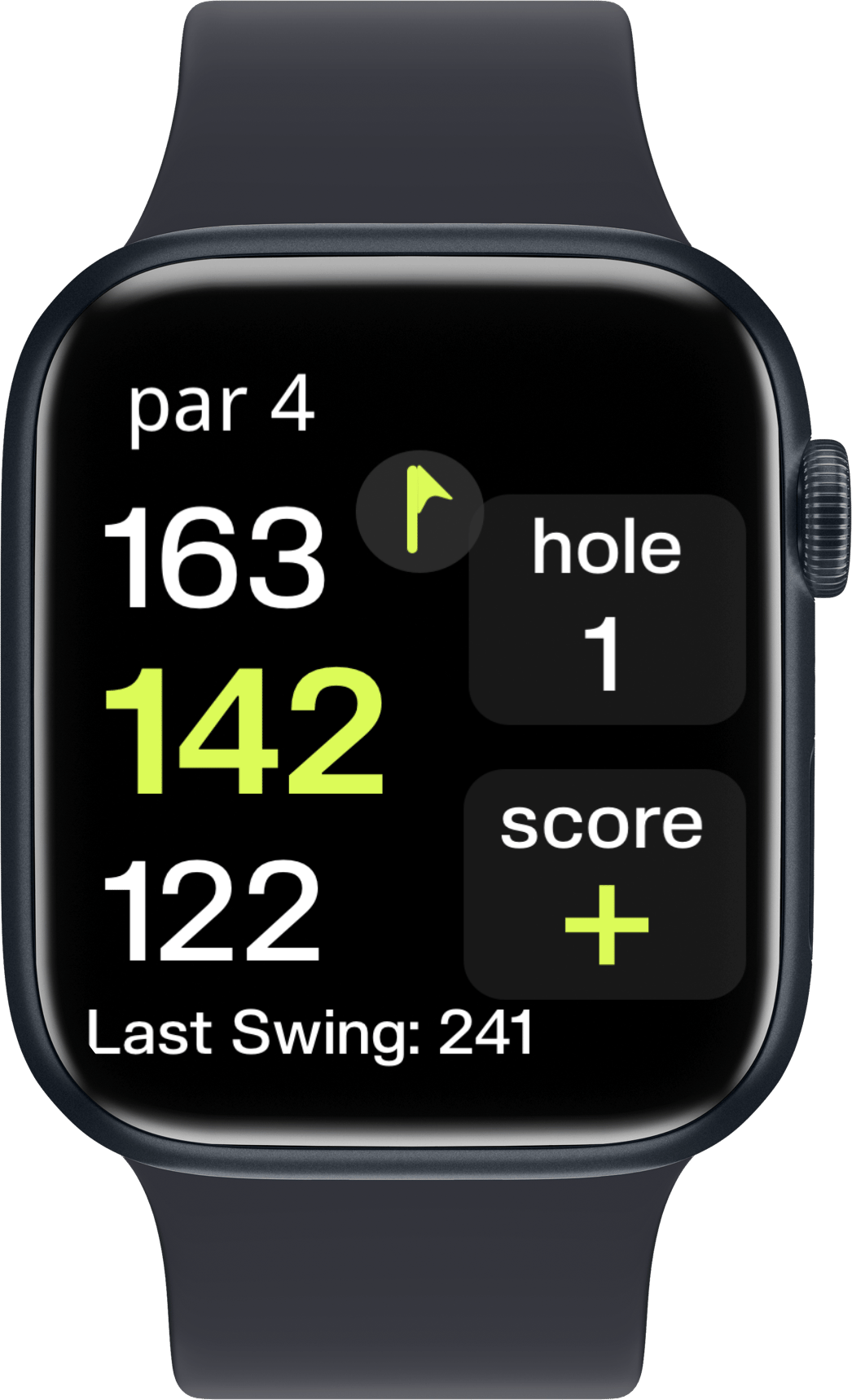
The caddie is recommending PW, but the green is almost 40 yards deep! The difference between a back pin and a front pin could be a two club distance. What do you do in this scenario?
What does strategy say?
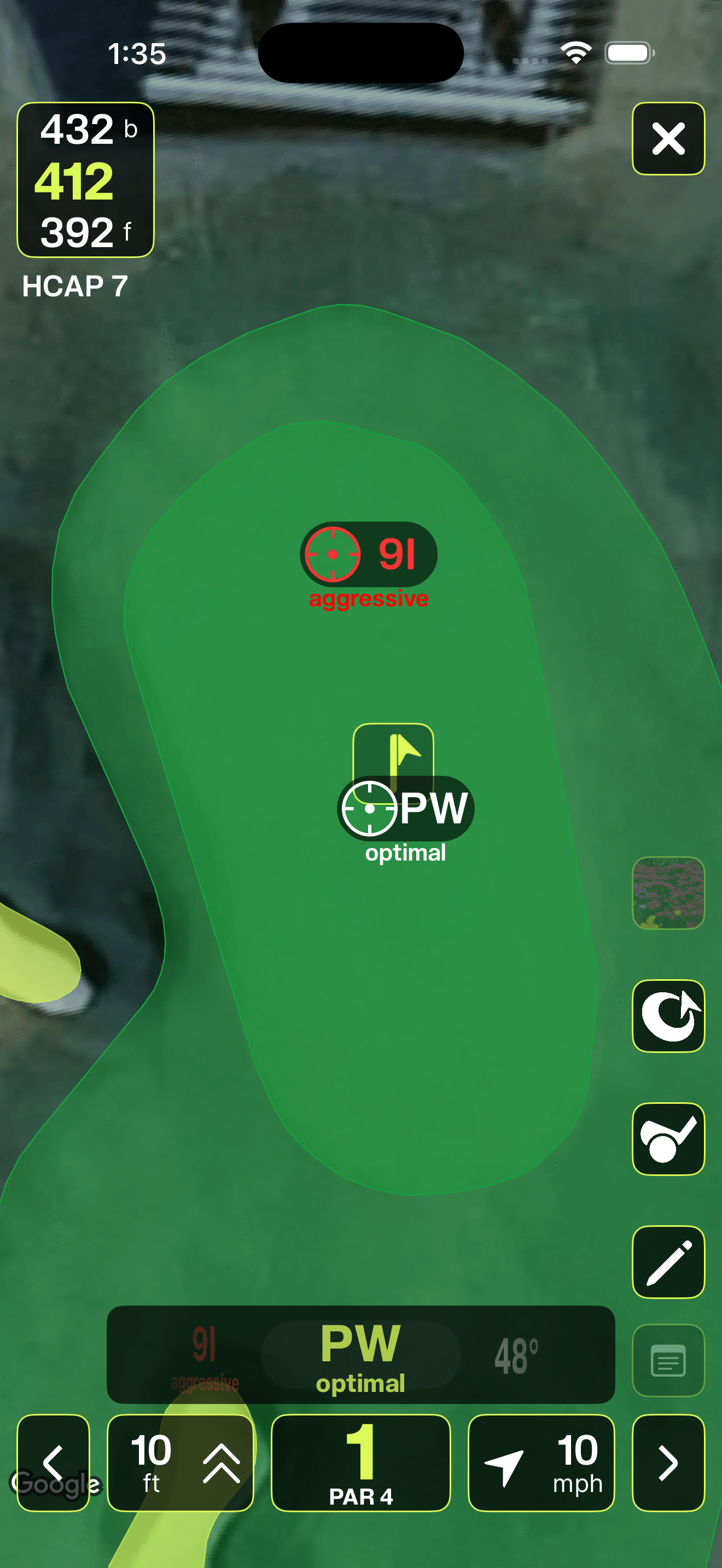
Strategically, most golfers should fire for the middle of the green and away from hazards. If they have any bias, it should be towards the back distance as improper strikes cause most golfers to miss targets SHORT of their intention. Take the caddies default suggestion! You can see above that the Smart Caddie in Tangent has already accounted for this, recommending a PW for the optimal shot or a 9 iron if you want to get more aggressive (making sure you get it to the hole versus potentially leaving it short).
Aiming for the middle of the green and trying to maximize the number of greens you hit in a given round is a great strategy.
HOWEVER! We all think that we are better than we are… so shouldn’t we take into account where the pin is?
Certainly more information is better, but why doesn’t Tangent show me where the pin is? Not by default.
Distance Measuring Devices (DMDs)
Tangent is a GPS based Distance measuring device, which has many benefits when playing golf.
You can get distances to literally anything.
You can see the overhead view to identify hazards and trouble that you can’t see line of sight.
Tangent takes into account weather, elevation, and course details in it’s distance suggestions and caddie advice.
It removes the temptation to blindly fire at pins.
It comes on your phone, so you can’t forget it, leave it behind, or run out of batteries… at least not as easily…
But it does come with one minor drawback:
- For items that move on a daily basis (ie. the flagstick)… GPS doesn’t know where it is without you telling it… but we’ll work on that.
Where can I get pin location?
Pin sheets
Depending on the courses you play regularly, there are several ways to get the pin location. Many clubs have some kind of daily pin sheet that could look like this:
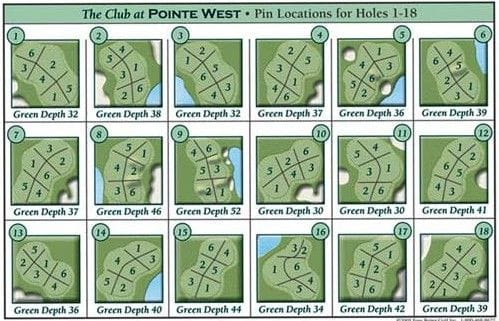
Every day is assigned a number 1-6. So if today is a number 2, for each green the pin will be set in the quadrant labeled with a 2. While not accurate to the yard, it’s enough to help Tangent get you a better club as I’ll show shortly.
Flag color
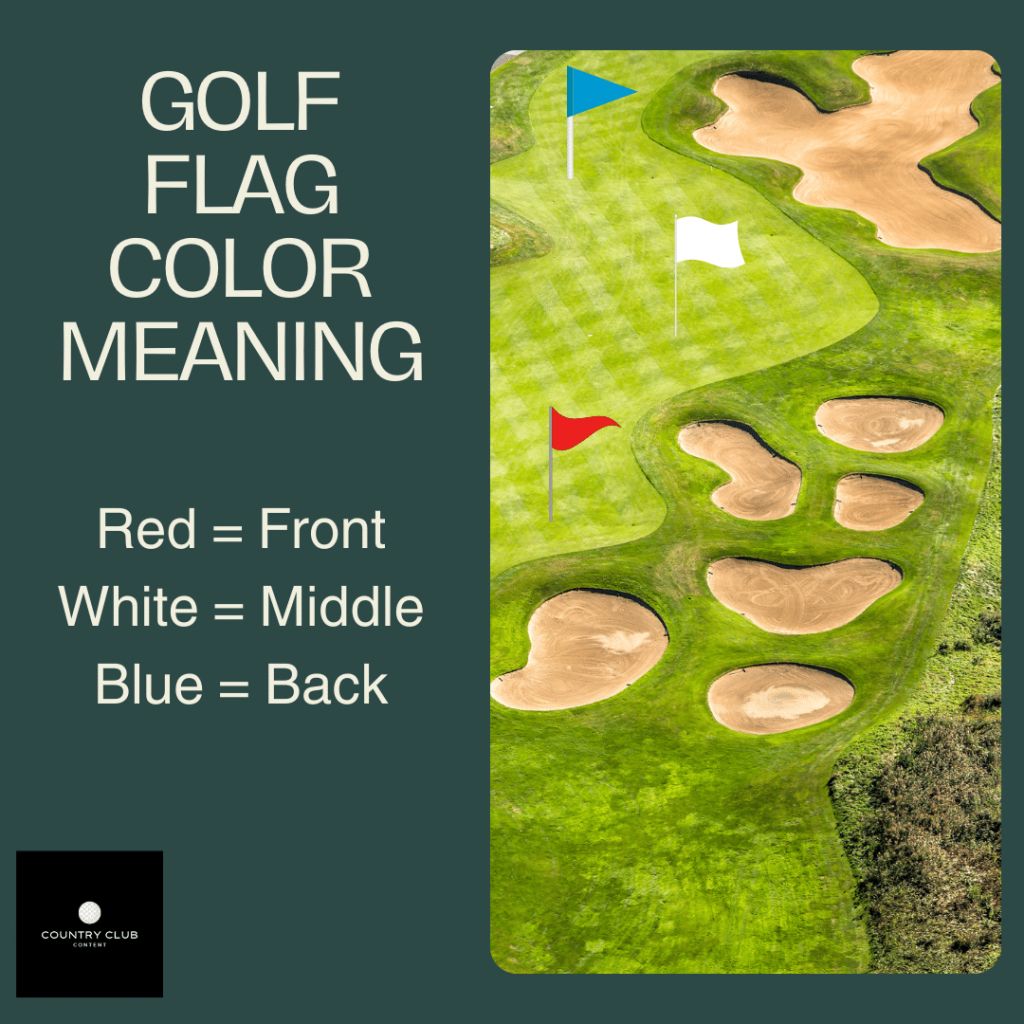
In the states, some clubs will use different color flags depending on the days flag location. In general, a blue flag means back, white means middle, and red means front.. but that can change depending on the club.
Mini-flag Location
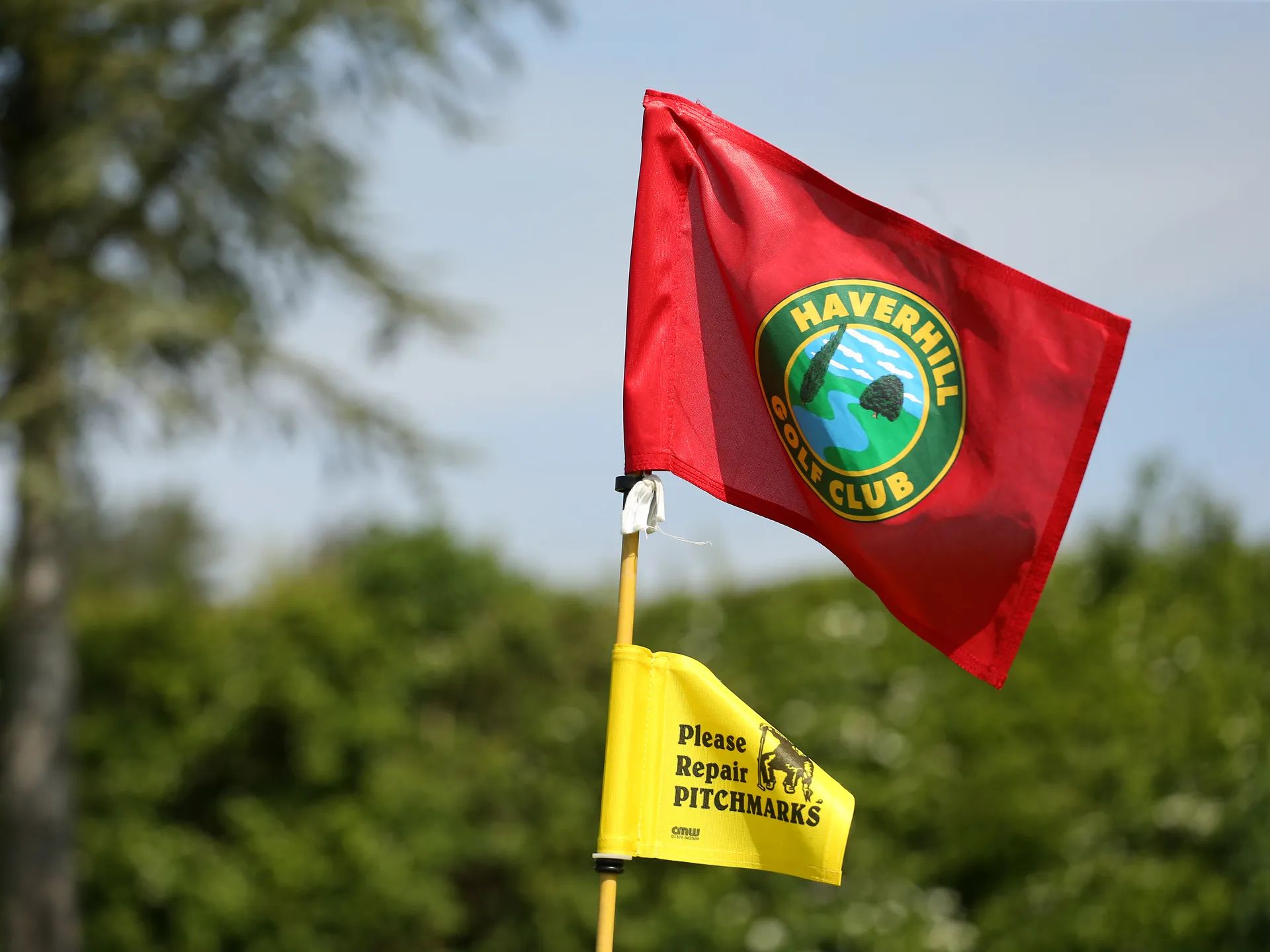
I didn’t even know about this one until recently, but some clubs use a smaller flag to indicate pin location. The higher up the flag the ‘mini-flag’ is… the further back the pin is. A lower mini-flag indicates a front pin.
Laser Rangefinder
I created Tangent and am a die hard shot tracking user with over 500 rounds in the system… but I have a confession to make. I also use a laser rangefinder. I like to shoot the pin on approach shots to improve the data in Tangent.
Did you know that with a quick tap of a button on your phone or watch that you can change the pin location in Tangent?
Let’s say in the example above that you shoot the pin with a laser at 155 (or see that you have a blue flag / back pin on the pin sheet)… Well the caddie changes to suggesting a 9 iron (see GIF below).
Or maybe you shoot 131y (or have a red flag / front pin on the pin sheet)… Well moving the pin in Tangent changes the caddie suggestion to a 48° Wedge.
You can also quickly change the pin location on the watch as I show in this YouTube tutorial.
Changing the pin location in Tangent is certainly not required, but it can make your data more accurate and improve your caddie suggestions.
Bonus Tip
Golfer’s almost always miss short and for front pins that is particularly dangerous. Any time you have a front pin, you should almost always add at least a half a club. Half a club past a front pin is almost always better than half a club short.
Even the pros struggle with front pins. Be smarter. Take more club.
And if you want the best caddie suggestions for club and target in golf… download and subscribe to Tangent today. The smart caddie requires a Basic subscription or higher.